Notify.Events is a powerful tool for your Shopify store

Notify.Events
is a powerful tool
for your Shopify store

Instant Notifications of Important Events
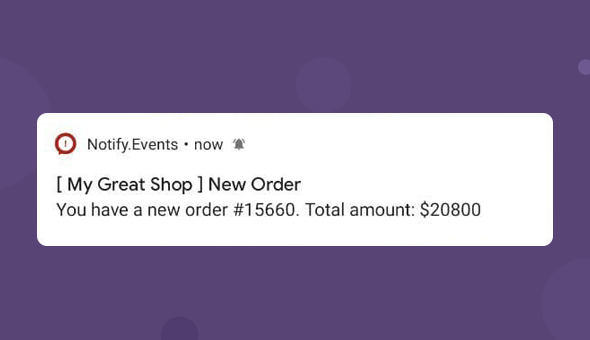
With Notify.Events, process incoming orders at the speed of light! Improve the quality of customer service and increase conversion. Shopify order notifications, and dispute alerts are supported.
Support for 40+ Recipients
Choose a convenient way to receive Shopify alerts. Telegram, Slack, Facebook Messenger, SMS and push notifications, voice calls and over 40 other communication tools are available.
Free Plugin and Subscription Plan
The Notify.Events plugin for Shopify is absolutely free. In addition, you can choose the free Basic subscription plan with 300 messages included.
Instant Notifications
of Important Events
With Notify.Events, process incoming orders at the speed of light! Improve the quality of customer service and increase conversion. Shopify order notifications, and dispute alerts are supported.
Support for 40+ Recipients
Choose a convenient way to receive Shopify alerts. Telegram, Slack, Facebook Messenger, SMS and push notifications, voice calls and over 40 other communication tools are available.
Free Plugin and Subscription Plan
The Notify.Events plugin for Shopify is absolutely free. In addition, you can choose the free Basic subscription plan with 300 messages included.

Features

Customize message templates
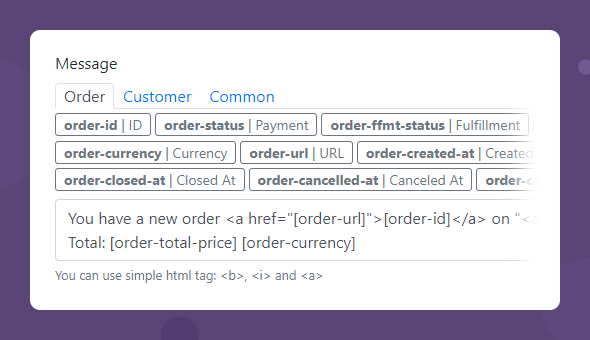
Create message templates using predefined variables related to Order, Billing, Shipping, Customer, Common, etc.
For example, if you add the [order-total] [order-currency] variables to the message text, then, once a customer places a new order, you will receive a notification containing its total price in the selected currency.
Format messages
Assign one of 5 priority levels to each type of notification and get messages sent to the right employee or to the right communication tool.
Use simple html tags to edit Shopify notifications: <b>, <i> and <a>.
Add an unlimited number of subscribers
Distribute messages among any number of colleagues. Each team member can choose a convenient way to receive notifications: Viber, Rocket Chat, Microsoft Teams, etc. Send notifications to direct messages or groups in instant messengers.
Simply send your channel dedicated link to the employees and they can subscribe on their own. Registering them in the system is not required.
Prioritize messages
Assign one of 5 priority levels to each type of notification and get messages sent to the right employee or to the right communication tool.
Send messages about a decrease in stock to a warehouse employee, and about an order status change - to an account manager. Or receive messages about out-of-stock positions in Slack, and about new orders - by SMS.
Filter messages by working hours
Distribute messages between employees according to their working time. Set the days of the week and hours when the desired subscriber will receive messages.
On weekdays, send messages about new orders to one manager, and on weekends to another. Or turn off notifications while the employee is on vacation.
Set up delayed message sending
Arrange additional sending of messages to another subscriber or to another messenger if the original recipient does not respond in time.
Configure sending a message to the head if the manager does not confirm read within 10 minutes. Or "wake up" the manager with a voice call notification.


See How Notify.Events Works

Add the app

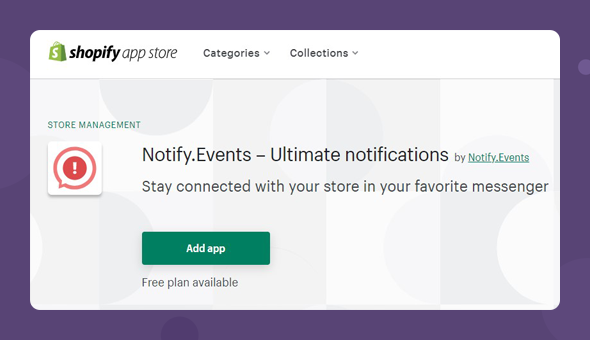
Install the Notify.Events app from the Shopify App Store.

Set up an account

Go to the Notify.Events website to register an account, create and set up your channel (learn how in this Help article).

Create a channel

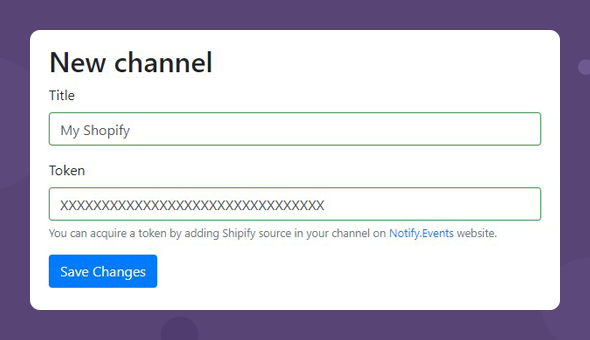
In the Shopify app settings, create a new channel using the received token.

Choose Shopify events

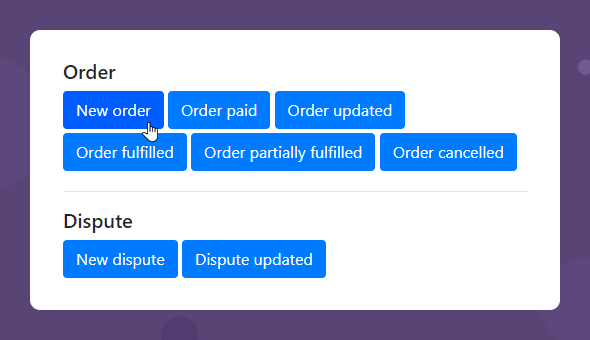
Select from the list and add the event(-s) you want to be notified about.

Work with the template

Customize the template for more informative / personalized notifications, or keep it default.

Get notified

That’s it! Now enjoy receiving instant notifications from your Shopify store.

01
/
06

Frequently Asked Questions

At the moment, we already have over 40 notification methods, including SMS, Voice calls, Kik, Telegram, Slack, and many others. You can find a complete list of supported notification methods on the features page.
The Notify.Events service has a free plan with a limited number of messages included per month. It is good to get acquainted with the service and even fully use it before the limit is reached. For more information about plans and limitations, please visit the Pricing section.
The plan is renewed every 30 days. Thus, you can continue receiving free messages once they are refilled. Moreover, you can always top up your balance and pay for messages in excess of the plan. See the Pricing page for more details.
No, you can invite your team members to subscribe to the notification channel without registering using a dedicated link. They will also be able to choose the most convenient way to receive messages.
Yes, when Shopify sends a message to your channel, it will be received by all channel’s subscribers automatically.
No, an unlimited number of people can subscribe to your channel.
Yes, for this you can group your recipients in different channels, as well as filter messages by priority or time of receipt for each specific subscriber in the channel.
You are limited only in the number of incoming messages within your plan.